
The generative video market is evolving at a breakneck pace, making a comprehensive higgsfield ai review essential for any digital storyteller. Unlike traditional tools that rely on a single proprietary engine, this platform stands out by offering a multi-model ecosystem designed for professional cinematography. It allows users to harness the specific strengths of various AI architectures, providing a level of creative control that was previously difficult to achieve in a single workspace.
As creators look for ways to scale high-quality video production, understanding the nuances of credit consumption and model selection becomes paramount. This platform integrates advanced features like Cinema Studio for camera control and LipSync Studio for character animation, making it a versatile choice for marketing agencies and independent filmmakers. By exploring its capabilities, users can determine if this tool fits their specific production pipeline and budgetary constraints in an increasingly competitive visual landscape.
📊 Quick Summary of Higgsfield
- Multi-Model Access: Includes Sora 2, Google Veo 3.1, and proprietary DOP engines.
- Cinema Studio: Professional-grade camera movement controls (pan, tilt, zoom).
- LipSync Studio: High-fidelity character animation with uploaded audio.
- Pricing: Credit-based tiers ranging from $9 to $119 per month.

The Technical Architecture of Higgsfield.ai
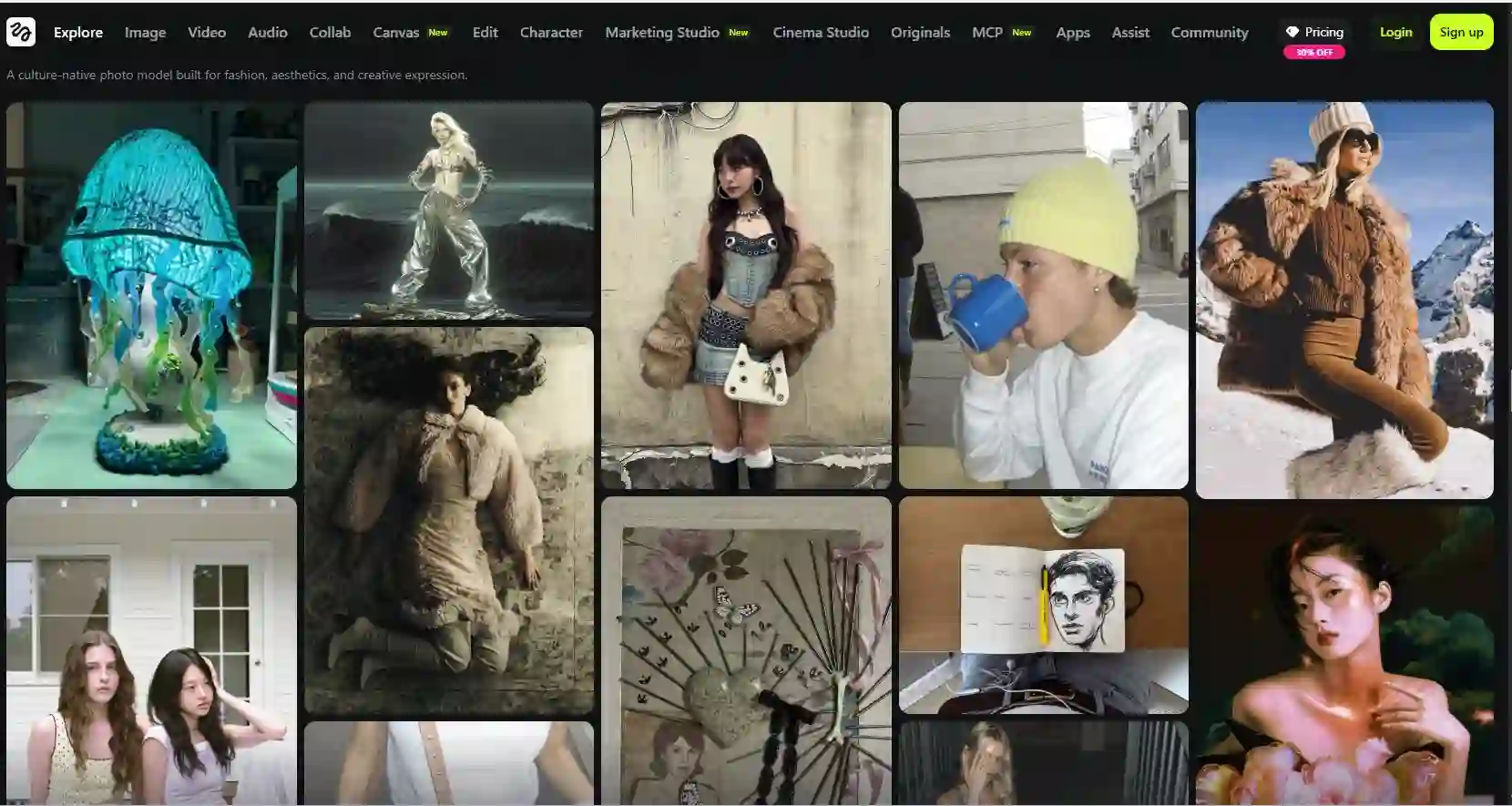
When you first explore higgsfield.ai, it becomes clear that the platform is built for flexibility. By aggregating cutting-edge models like Sora 2 and Google Veo 3.1 under one roof, it solves the problem of platform fatigue. Creators no longer need to jump between different websites to test which engine produces the best lighting or motion for a specific scene; they can compare results side-by-side within the same project.
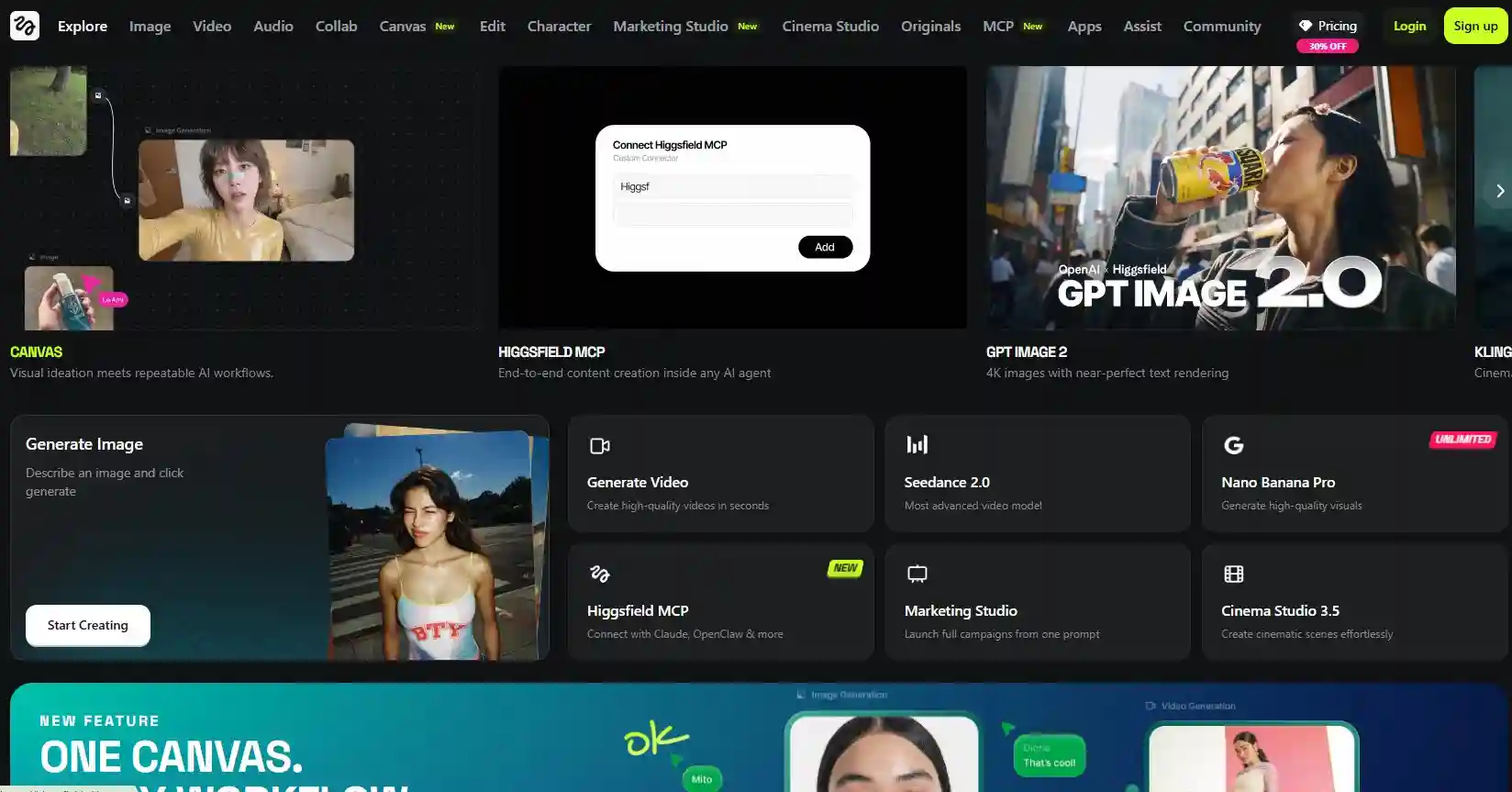
The user interface is organized into three distinct workflows: Create Video, Cinema Studio, and Edit Video. The creation module is perfect for rapid prototyping using text-to-video prompts. However, the Cinema Studio is where the platform truly shines for professional work. It introduces manual parameters for virtual camera choreography, allowing the user to dictate exactly how the lens moves through the digital scene, reducing the unpredictable nature of standard AI generations.
Consistency is often the biggest hurdle in AI video, and this platform addresses it through its proprietary DOP model. This engine is specifically optimized for visual effects (VFX) control, ensuring that camera dynamics remain stable across multiple takes. For directors who need specific shots to fit a storyboard, this level of technical depth is a significant upgrade over purely prompt-based generators that often “hallucinate” camera movements.
Analysis of the Credit-Based Pricing Model
Understanding the financial commitment is vital for long-term production. The platform operates on a tiered subscription model where credits are the currency. The Basic plan at $9 per month offers a small taste of the capabilities, but it is quickly exhausted by high-definition renders. Professional users will likely find themselves gravitating toward the Ultimate or Creator plans to ensure they have enough bandwidth for multiple iterations.
A major point of consideration for budget planning is that different models and features have varying credit costs. For example, a standard generation using a basic model might be affordable, but activating the 4K Video Upscale or using the premium Sora 2 engine will consume your balance much faster. This requires a strategic approach to production, where draft versions are created using cheaper models before committing premium credits to the final hero shots.
Detailed Higgsfield AI vs Runway Comparison
When deciding between higgsfield ai vs Runway, the choice usually depends on whether you prioritize ecosystem maturity or model variety. Runway is a pioneer in the space, offering a polished suite of editing tools, including inpainting and motion brushes, within a very intuitive interface. It is often the preferred choice for those who want a reliable, all-in-one “creative suite” experience for their daily video editing tasks.
However, Higgsfield counters this by providing access to external powerhouses like Google Veo 3.1 and Sora 2, which are currently at the cutting edge of visual fidelity. While Runway’s Gen-3 is impressive, some creators find that having the choice of multiple specialized models allows for better results in specific niches, such as hyper-realistic character work or complex cinematic movements. If you need the latest research-grade models, Higgsfield is the stronger option.
Performance Review: Higgsfield AI vs Kling
The battle of higgsfield ai vs kling is essentially a comparison of two different philosophies of realism. Kling has gained a massive following for its ability to generate long-duration videos with exceptionally natural human physics. It is often the go-to for creators who need a “one-shot” generation that looks like a real camera recording. Its ease of use is a major selling point for those who want quick, high-quality results.
In contrast, Higgsfield is designed for the “director” who wants to tweak every detail. While Kling might produce a better random result, Higgsfield provides the tools to replicate a specific vision through its Cinema Studio. If your project requires a specific camera path or complex lighting adjustments, Higgsfield’s technical controls offer a significant advantage over Kling’s more simplified interface. The choice depends on your desired level of manual involvement.
“The ability to switch between top-tier AI engines like Sora 2 and Veo 3.1 within a single project is a game-changer for professional editors who need to match specific visual styles across a marketing campaign.”
Strategic Differences: Higgsfield AI vs Heygen
Analyzing higgsfield ai vs heygen highlights the distinction between cinematic storytelling and corporate communication. Heygen is the undisputed leader in high-fidelity AI avatars and personalized video messages. It excels at creating virtual presenters that look and speak like real humans, making it the perfect tool for training videos, sales outreach, and localized corporate announcements where a “talking head” is the primary focus.
Higgsfield, while offering a LipSync Studio, is more focused on the environment and the cinematic world. It is built for creators making films, commercials, or stylized social media content where the camera movement and the overall scene composition are just as important as the characters. If you need a professional spokesperson, choose Heygen. If you are building a cinematic narrative with moving characters in complex environments, Higgsfield is the tool for you.
Creative Assets: Higgsfield AI vs Freepik and OpenArt
The comparison of higgsfield ai vs freepik is a matter of scale and asset types. Freepik is a massive repository of diverse creative assets, including vectors, photos, and simple AI-generated videos. It is designed for graphic designers and social media managers who need a wide variety of materials for multi-channel branding. It is an excellent generalist tool, but it doesn’t offer the deep cinematic video controls found in a specialized video studio.
Similarly, looking at higgsfield ai vs openart reveals a focus on artistic exploration versus production. OpenArt is a community-driven platform with specialized models for different artistic styles, making it perfect for concept art and experimental visuals. While it has video capabilities, it lacks the professional production pipeline of Higgsfield. For a professional video agency, OpenArt might be used in the concept phase, while Higgsfield would handle the final high-definition render.
💡 Expert Pro-Tip for Credit Saving
Always perform your initial generations using a lower-resolution draft model. This allows you to check for motion errors or prompt inconsistencies without wasting your premium credits. Only activate the 4K Video Upscale and high-end models like Sora 2 once you are satisfied with the core motion and composition of your clip.
Exploring the Higgsfield AI App Download and Mobile Use
In a world of on-the-go content creation, the Higgsfield AI app download provides a crucial bridge between desktop power and mobile flexibility. The app allows users to check the status of their renders, manage their credit balance, and even initiate new creations from their smartphones. This is particularly valuable for social media influencers who need to generate reacting content quickly while away from their primary workstation.
While complex Cinema Studio choreography is still best handled on a larger screen, the mobile app is surprisingly capable for text-to-video prompts and basic adjustments. The synchronization between the web platform and the mobile app is seamless, ensuring that your production pipeline stays active regardless of where you are. This accessibility is a key factor for creators who prioritize agility and speed in their digital workflows.
By integrating mobile access, the platform ensures that the creative process isn’t limited by hardware location. Whether you are on a film set or commuting, you can review drafts and provide feedback to your team instantly. This level of connectivity is becoming a standard requirement for modern creative tools, and this platform delivers it with a clean, responsive interface that mirrors the depth of its desktop counterpart.
As you refine your cinematic skills using these AI tools, it can be helpful to study the ultimate ranking of the best movies and series of all time to understand the lighting and camera techniques that professional directors use. Applying these traditional filmmaking principles to your AI prompts will significantly improve the quality of your generated output, making it look less like “AI” and more like a professional film.
⚠️ Critical Integration Note
Native integrations with major video editors like Adobe Premiere or DaVinci Resolve are currently limited. You will need to manually export your 4K upscaled videos and import them into your editing software for final color grading and sound design. Plan your workflow timeline accordingly.
Future Trajectory of Multi-Model Video Platforms
The success of specialized tools suggests that the future of AI video is not a winner-take-all scenario. Instead, we are seeing the rise of unified hubs that offer the best models from across the industry. This approach benefits the creator by providing more options and forcing model developers to compete on quality and price. For a professional agency, the ability to access multiple “best-in-class” engines through a single subscription is both cost-effective and creatively liberating.
As these platforms continue to mature, we expect to see even more granular controls, such as consistent character rigging and advanced lighting simulation. The current friction of prompt-engineering will likely be replaced by more intuitive visual interfaces, allowing directors to “draw” their camera paths or “place” lights in a virtual 3D space. This platform is already leading the way in this direction with its Cinema Studio module, setting a high bar for its competitors.
Ultimately, the choice of a video generator should be based on your specific project needs and your comfort level with technical controls. While some tools are great for quick social clips, others are designed to be a fundamental part of a professional cinematic pipeline. By staying informed about the latest updates and model additions, you can ensure that your creative output remains at the forefront of the digital revolution, turning your most ambitious visions into stunning visual realities.
The ongoing development of AI video technology is democratizing the production process, allowing small teams to produce Hollywood-level visuals. Whether you are an independent creator or a large-scale agency, the key is to experiment constantly and find the right balance between automated generation and manual creative direction. The tools are more powerful than ever; the only limit is your imagination and your willingness to master the technical nuances of these revolutionary platforms.
