
Choosing between Windows 10 Pro and 10 Pro N requires a clear understanding of your specific software needs and regional requirements. While both editions provide the robust security and management features expected from the Pro tier, the N edition is a specialized version developed for European markets. This variant intentionally excludes media-related technologies, which impacts how you handle audio, video, and streaming content within your daily operations. Deciding which version to deploy depends largely on whether you require a lean, streamlined OS footprint or rely heavily on native multimedia integration for your daily professional tasks.
Because the N edition lacks integrated media capabilities, users often discover that standard applications may fail to launch or function correctly without additional components. Before making a final selection for your hardware, it is vital to evaluate if your workflow demands native support for playback or if you prefer a stripped-down environment. Understanding the distinctions between these versions ensures that you avoid unnecessary compatibility hurdles. In the following sections, we will break down the fundamental performance differences and technical limitations to help you decide which iteration is the right fit for your computing infrastructure.
Key technical differences
- Windows 10 Pro includes the full suite of media playback features.
- The N edition removes Windows Media Player and related codecs.
- Both versions share identical security protocols and enterprise management tools.
- The N variant is specifically designed to meet regulatory standards in Europe.
- Users of the N version can install the Media Feature Pack manually.
Core functionality differences explained
The primary discrepancy between these two operating systems lies in the presence of multimedia libraries. The standard Windows 10 Pro edition comes equipped with native support for high-quality audio and video playback, which is essential for creative professionals and general users alike. When you utilize the standard Pro version, everything functions out of the box, ensuring that web browsers and productivity applications can tap into system-level media engines immediately without further configuration or external downloads.
Conversely, the N edition omits several core components, including Windows Media Player, the Camera app, and support for voice recording. This approach was originally mandated to address concerns regarding the bundling of proprietary media software. Consequently, software that relies on these specific libraries—such as certain video conferencing tools or complex editing software—will not execute properly until the user manually restores these missing frameworks through the official Microsoft support portal.
Evaluating your specific hardware requirements
For many IT administrators, the choice between these editions is driven by compliance rather than performance. If your company operates within strict regulatory environments, the N edition provides a cleaner slate for deploying custom software stacks. By removing unwanted media bloatware, you can maintain a more controlled and secure environment, assuming your technical team has the expertise to configure the necessary media packs when specific applications require them for specialized tasks.
If you are exploring the markets to build your own trading workstation, you might find that analytical software platforms often demand a stable, fully featured environment. A standard installation typically ensures that all secondary dependencies are met, which reduces the potential for runtime errors. Whether you are setting up data terminals or handling heavy media rendering, having the full range of native Windows APIs ensures that your workstation remains compatible with almost every piece of third-party software currently available on the market.
Choosing the right version of Windows is not just about features, but about ensuring your foundational software environment supports every tool in your professional arsenal.
Managing dependencies in the N edition
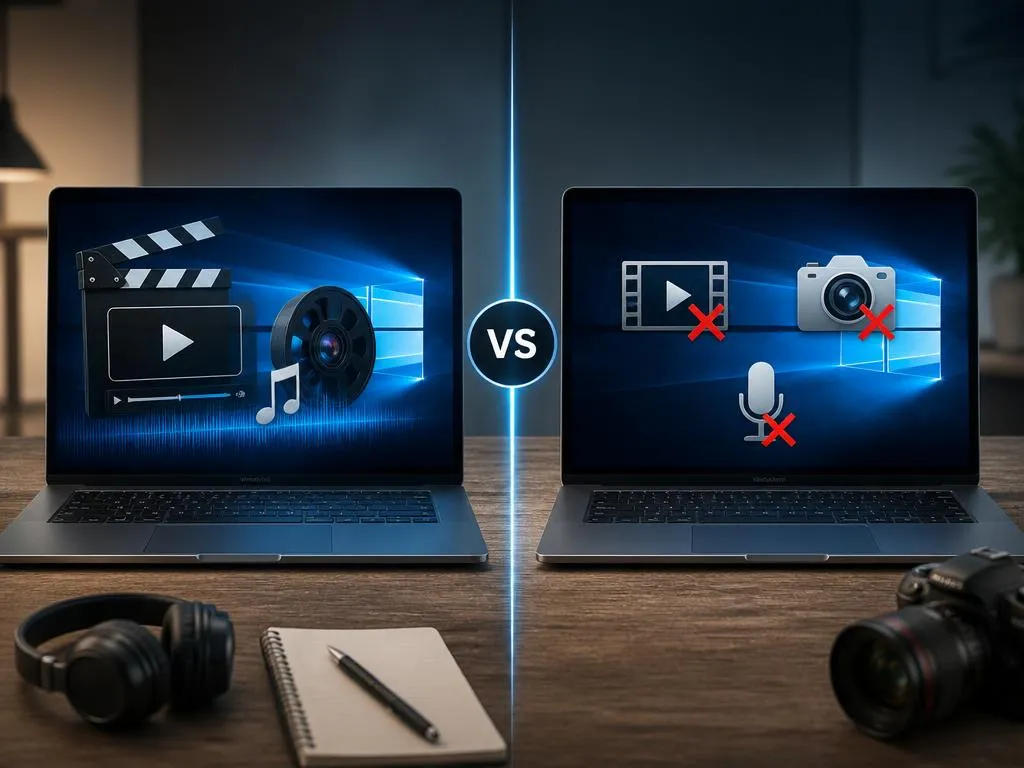
If you ultimately choose the N edition, you are not permanently locked out of media functionality. Microsoft provides a Media Feature Pack that serves as a bridge, allowing users to restore the missing multimedia capabilities. This is particularly important for professionals who may be working on systems where a light, initial image is required for security, but where video meetings or high-definition streaming eventually become a necessary part of the daily routine for remote collaboration.
For those interested in optimizing their technical setup, understanding the underlying system architecture is just as important as knowing your OS. For example, learning how to configure specific parameters for market data indicators requires a system that handles multitasking with high precision. An OS that is missing critical media drivers may sometimes encounter issues with hardware-accelerated rendering, which can inadvertently affect the performance of real-time charts and heavy GUI-based applications if those drivers are not updated and configured correctly following the initial installation.
💡 Quick tips for deployment
Always verify if your specialized software has specific requirements for Windows Media Player or related libraries. If you are a trader, you might also want to look into advanced strategy settings for your trading software to ensure your OS configuration doesn’t interfere with your automated processes. Keeping your drivers updated is essential regardless of which edition you choose for your home or office PC.
Security and professional management features
Both versions offer the same level of protection, including BitLocker encryption, remote desktop capabilities, and Active Directory integration. This ensures that you do not sacrifice security for the sake of choosing the N variant. For businesses, the focus remains on the reliability of the operating system framework, which remains consistent across the entire Pro lineup, regardless of whether it is the standard version or the specialized European edition tailored for different market regulations.
Security-conscious users often prefer the Pro editions because they offer granular control over Windows Updates and Group Policy settings. These features are indispensable for maintaining a secure network perimeter. Regardless of the media configuration, the underlying security architecture is robust, protecting sensitive data from unauthorized access while allowing system administrators to push security patches and policy updates across an entire fleet of corporate machines without any significant disruption to the user experience.
Performance impact and resource usage
One might assume that the N edition offers superior performance due to its stripped-down nature, but the real-world impact is negligible for the average user. Removing media libraries frees up a small amount of disk space, but it does not significantly reduce CPU or memory overhead during normal operations. Modern systems are generally powerful enough to run the full version of Windows 10 Pro without experiencing any performance degradation caused by native media services idling in the background.
If you find that your workstation needs to handle complex tasks, it is beneficial to focus on hardware upgrades like increased RAM or SSD storage rather than choosing an OS version based on minor space-saving claims. Professionals involved in high-stakes environments, such as those implementing sophisticated trading protocols, should prioritize system stability and software compatibility above all else. Reliability is the most critical factor when choosing an operating system for your professional environment, as it ensures your tools perform consistently during high-pressure trading sessions or complex data processing tasks.
Final verdict: Which to choose?
For most users, Windows 10 Pro is the safer, more convenient choice because it includes everything necessary for a modern digital workflow. The N edition should only be considered if you are strictly required to use it for regulatory reasons or if you possess the technical skill to manage custom media packages manually. By keeping your system environment consistent and fully featured, you prevent unexpected errors and ensure that every application you install operates exactly as the developer intended, saving you time and technical headaches.
